

Description
Introduction to the HDMI to Component Converter
The HDMI to Component Converter, model Generic, solves a narrow but persistent problem: connecting modern HDMI sources to older televisions that only accept component input. Devices that bridge that gap are increasingly rare as manufacturers drop analogue output entirely. This converter does the job well, with quirks that are worth understanding before buying.
Ease of Use and Setup
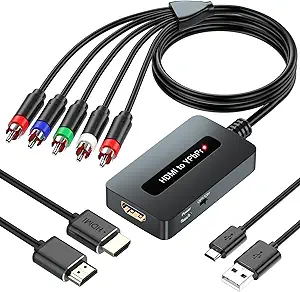
The “plug and play” functionality is the main selling point. There is no software to install and no configuration step. An HDMI cable goes in from the source, and component cables carry video (green, blue, red) and audio (white, red) out to the television. Matching those colours correctly is critical, because component video splits the picture across three separate cables, so a swapped connection produces wildly wrong colour rather than a simple fault. Connected correctly, it works immediately.
Performance and Video Quality
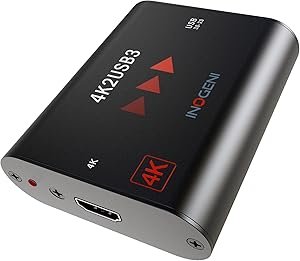
The converter outputs Full HD 1080P resolution, which is high for a device at this size and price. It supports 480i, 480p, 576i, 576p, 720p, and 1080i. 4K resolution is not supported, so ultra-high-definition sources are outside its scope; anyone needing 4K should look at the INOGENI 4K2USB3 instead. The advanced signal processing is the component that matters, since converting digital HDMI to analogue component requires a proper DAC rather than simple rewiring, and the colour and detail retained here reflect that. It works well with sources such as a PS3 or a streaming stick. The critical limitation is the absence of scaling: if the television’s resolution is lower than the incoming HDMI signal, no picture appears at all. That is stated in the instructions but is easy to miss and is the most common reason for returns.
Compatibility and Use Cases
The converter’s strongest asset is wide compatibility across DVD players, consoles including the PS4, and laptops. For anyone keeping a traditional TV in service while connecting newer HDMI devices, it is the simplest available bridge. It is small and light enough to travel with for connecting to unfamiliar setups. It will not modernise an older set beyond its native capability; it converts a signal rather than upgrading a display. Legacy AV chains built around equipment like a DISH ViP722k HD DVR are exactly the environment it is designed for.
Key Benefits
- Plug-and-play functionality makes the setup process straightforward and user-friendly.
- Full HD 1080P resolution ensures crisp visuals, suitable for movies, games, and presentations.
- Wide compatibility with a range of devices, including DVD players, gaming consoles, and streaming sticks.
- Compact and lightweight design makes it portable and easy to store.
Areas for Improvement
- No scaling function, which means it won’t work if your TV resolution is lower than the HDMI signal.
- Limited to 1080P resolution; no 4K support, which might be a downside for modern tech enthusiasts.
- Color matching is crucial, as incorrect connections can lead to abnormal screen behavior.
- Audio output could use a slight boost, especially for users with older TV sound systems.
Product Comparisons
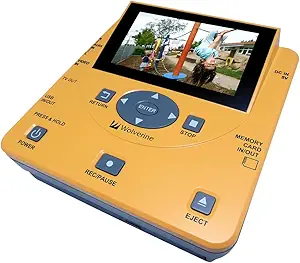
Against other HDMI to component converters, a few differences stand out. Some competing products include built-in scaling, which matches the output automatically to the television’s resolution and removes the compatibility trap described above. Those models cost more and are physically larger. This converter’s compact design and simple operation suit buyers who know their television’s resolution and do not need the extra circuitry. Audio sync is handled cleanly here, which is a common weak point in cheap converters. Buyers digitising analogue sources in the other direction need a capture device such as the Wolverine TransMedia converter, and anyone whose real goal is adding streaming to an old set may be better served by a Roku player.
Cost Efficiency
Considering its features and performance, this device offers strong value for money and is the budget option among the video converters we track. It lacks the refinements of higher-end converters but is priced accordingly. On a tight budget, for a no-frills way to connect HDMI devices to older TVs, it is a solid option. Setups that require scaling or 4K support need a more capable model. Overall it is a smart spending choice for casual users with straightforward requirements.